This article explains the different ways to purchase phone numbers for your Voice channel and how to manage the numbers configured.
Prerequisites:
- Ensure that you have access to Admin Settings.
- Ensure that the Voice channel is available and configured for your account.
- If you plan to port an existing number, ensure that you have the required details from your current telecom provider.
- If you plan to use BYOC, ensure that you have the required details from your external carrier.
Understanding Voice channel numbers
The Voice channel uses phone numbers to make and receive calls. Based on your requirements, you can add a phone number to the Voice channel in the following ways:
- Purchase a new number: Buy a new phone number for your Voice channel. Numbers are available across multiple countries, subject to availability.
- Port an existing number: Move an existing phone number from your current telecom provider to the Voice channel while retaining the number.
- Use BYOC: Use an existing phone number from your external carrier with the Voice channel while retaining both the number and your carrier.
The Numbers page provides a central place to view and manage the phone numbers configured for your account. From this page, you can purchase new numbers, view number details, manage caller IDs, and configure restrictions for outgoing calls.
To access the numbers page:
- Log in to your account as an admin.
- Go to Admin > Channels > Voice.
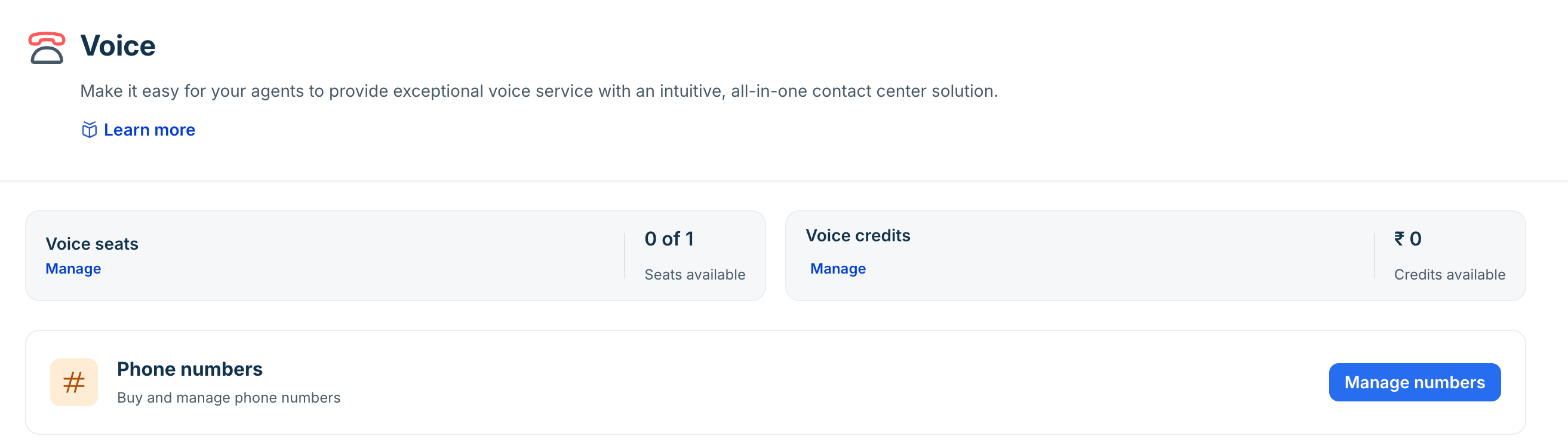
- Click Manage numbers.
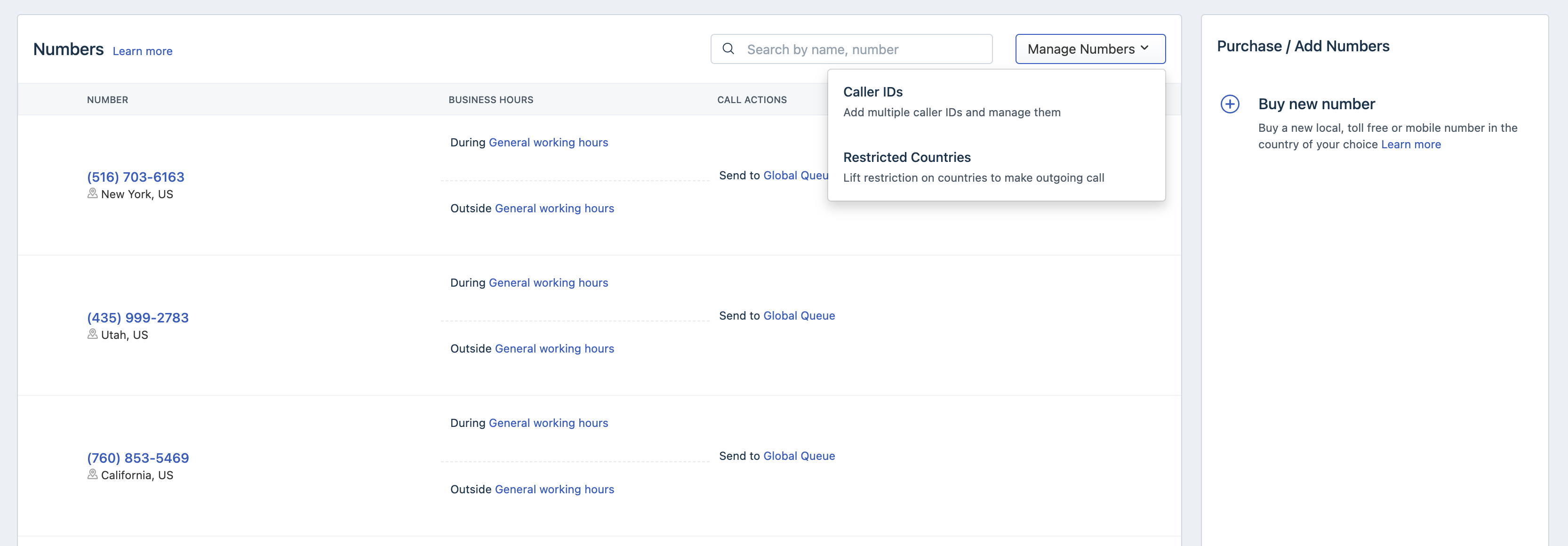
The page provides the following information:
Option | Description |
Number | Displays the phone number configured for your Voice channel. |
Business hours | Displays the business hours configured for the number, including the During General working hours and Outside General working hours settings. |
Call action | Displays the call action configured for the number based on the configured business hours. For example, calls can be routed to the Global Queue during or outside general working hours. |
Buy new number | Purchase a new phone number for your Voice channel. You can select an available number based on your requirements and the countries supported. |
Caller IDs | Add and manage multiple caller IDs for your account. Use this option to configure the caller IDs that can be used with your Voice channel calls. For more details, see Configure BYOC. |
Restricted Countries | Manage restrictions for outgoing calls to specific countries. Use this option to control the countries to which calls can be made from your Voice channel. For more details, see Remove country restrictions. |
Search by name, number | Search for a specific phone number configured for your account. |