To update a user's email address:
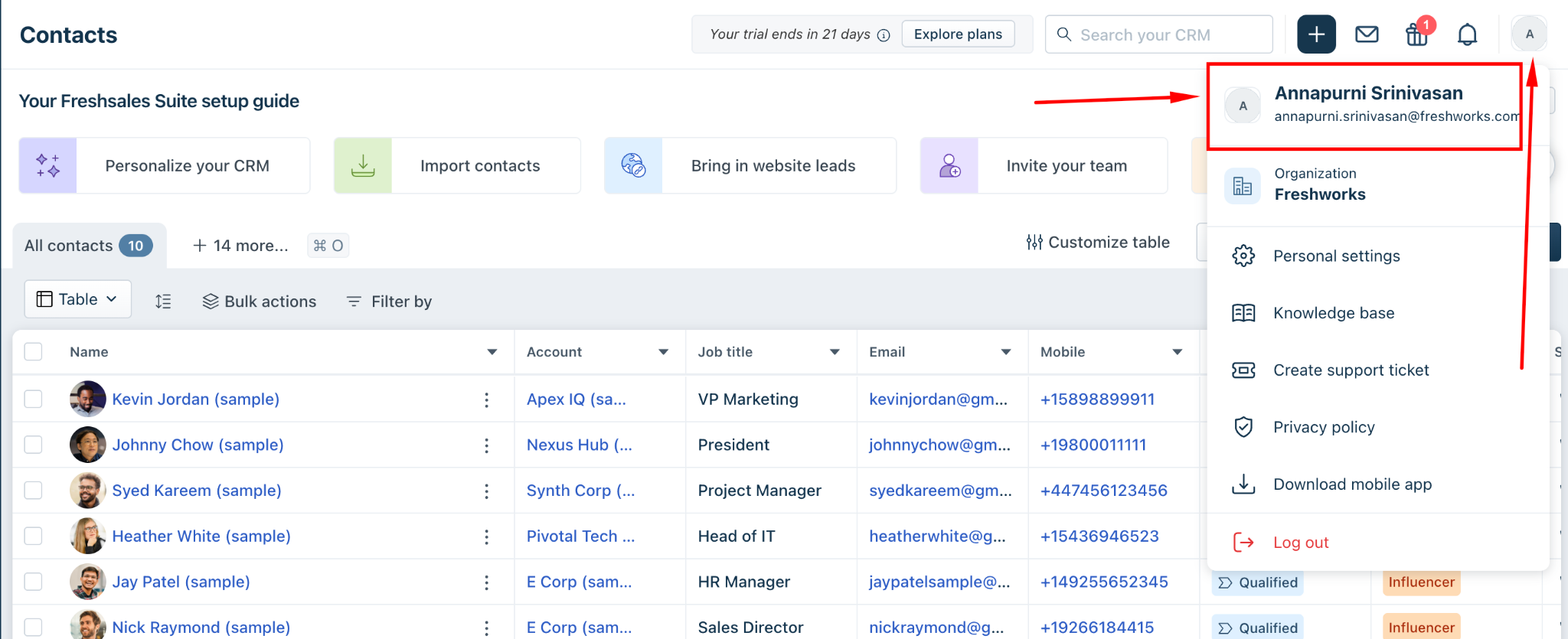
Navigate to the Freshworks Neo Admin Center.
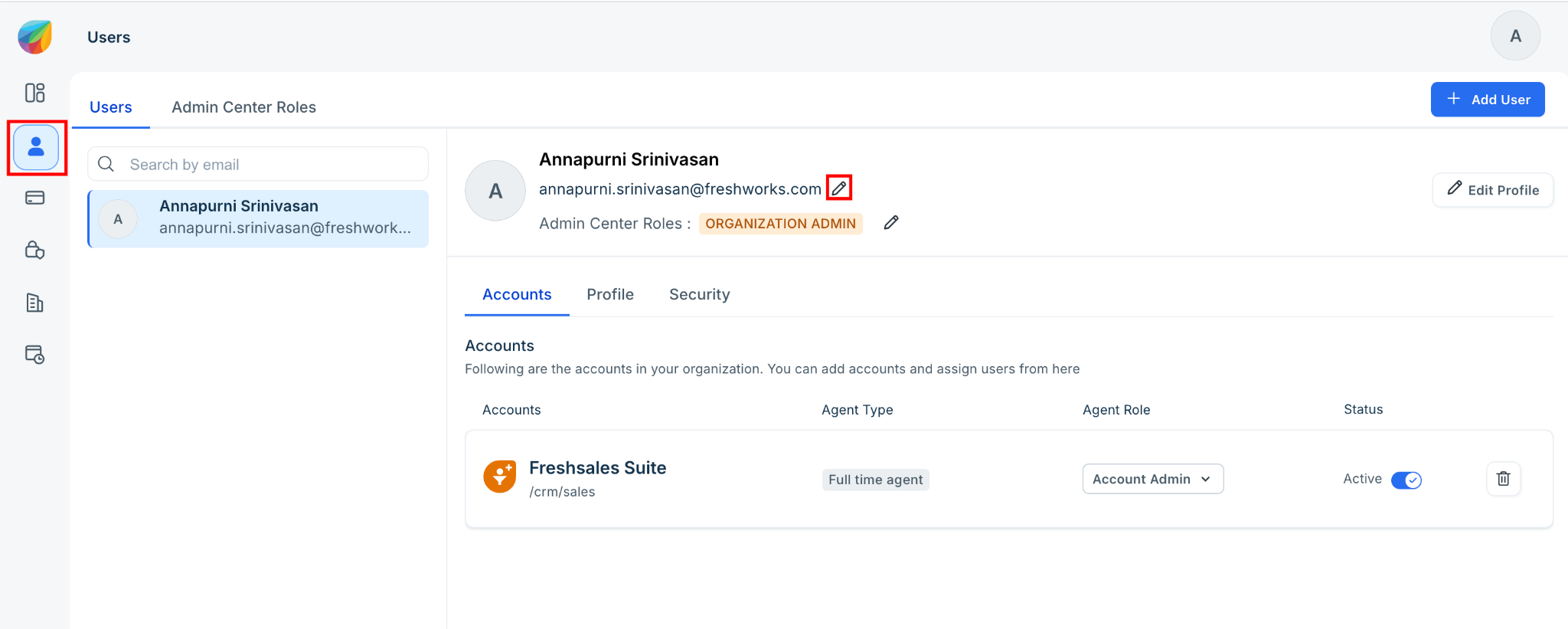
In the left navigation pane, click Users.
Select the user whose email address you want to update.
Click the Editicon next to the current email address.
Enter the new email address.
Confirm the changes to save the updated email address.

Note: Once the email address change is confirmed, the user will be logged out immediately. An activation email will be sent to the new email address. The user must use the activation link in the email to reactivate and regain access to their Freshworks account.
FAQs:
1. Why is the user unable to change the email address?
Only users with Organization Admin privileges can update a user's email address. If the user is not an Organization Admin, they will not have permission to make this change.
2. How do I navigate to the Freshworks Neo Admin Center?
To access the Freshworks Neo Admin Center, click your profile icon in the top-right corner and then click your name. This will take you to the Freshworks Neo Admin Center.
3. What happens after I change a user's email address?
Once the change is confirmed, the user is logged out immediately. An activation email is sent to the new email address. The user must use the activation link to reactivate their account and sign in.
4. What should I do if the user does not receive the activation email?
Ask the user to check their spam or junk folder. If the email is still not received, verify that the new email address was entered correctly and reach out to the support team for the activation link.
5. Can I update the email address for an inactive user?
Yes. If you have Organization Admin privileges, you can update the email address for the user. The user will receive an activation email at the new address and can use it to access their account.
6. Will changing the email address affect the user's data or permissions?
No. Updating the email address changes only the user's login email. The user's roles, permissions, and associated data remain unchanged.
7. Does changing the email address affect the user's existing sessions?
Yes. The user is logged out immediately after the email address is updated and must reactivate their account using the activation link sent to the new email address.
8. If I am not an Organization Admin, will I still be able to update a user's email address?
No. Only Organization Admins have permission to update a user's email address. Users without Organization Admin privileges cannot modify user email addresses.