This article provides information on upcoming changes in Freshcaller, including its benefits, required actions, and the rollout plan.
TABLE OF CONTENTS
Overview
We’re rolling out a set of enhancements to the Freshcaller interface that allow your teams to effectively manage contacts, capture call context, and take action during live conversations.
These updates are designed to reduce context switching, improve data capture, and bring support, service, and sales workflows into a single, unified calling experience.
Benefits:
With the enhanced Freshcaller widget, your teams get the following benefits:
- Manage and update contacts directly within the widget
- Add structured context using call tags and notes
- See real-time indicators of the speakers during a call
- Create tickets, tasks, and records without leaving the call window
- Access a unified timeline of past conversations and activities
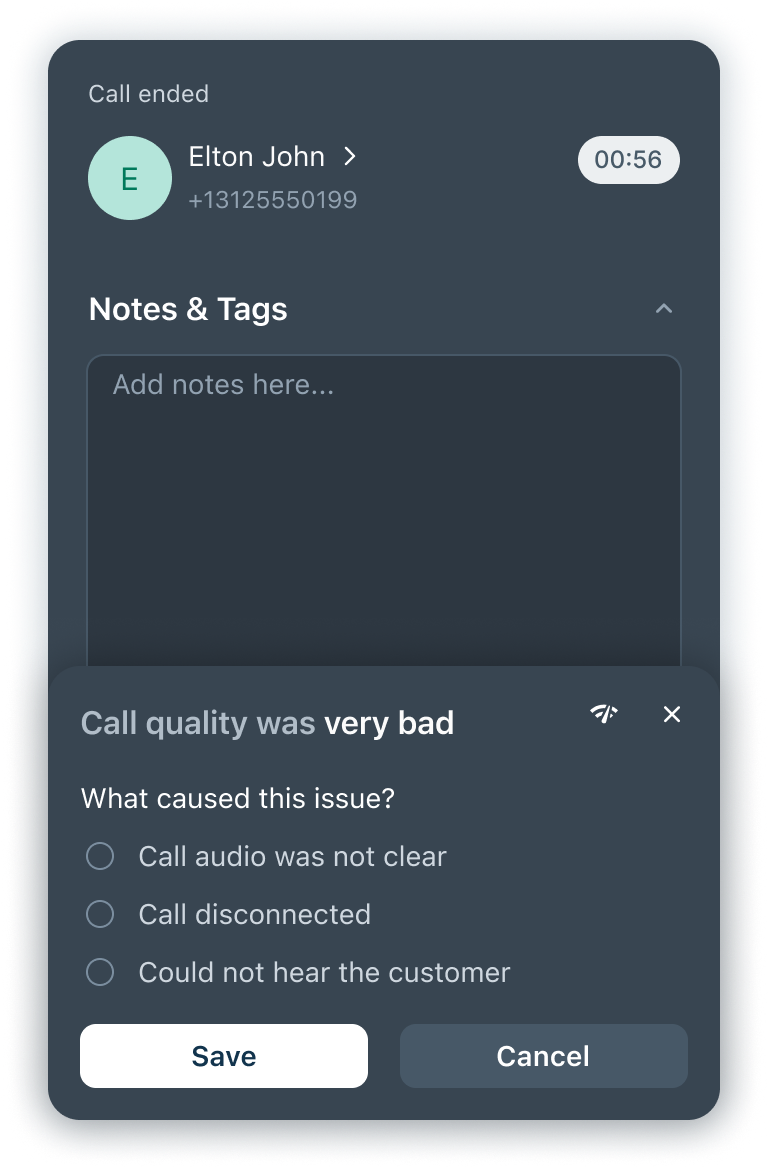
- Rate call quality after each interaction
Upcoming widget changes
Here’s an overview of the upcoming enhancements in the widget:
- Simplified contact management within the widget
- Structured call tags and notes
- Real-time speaker visibility
- Streamlined in-call actions
- Unified conversation history
- Standardized call quality tracking
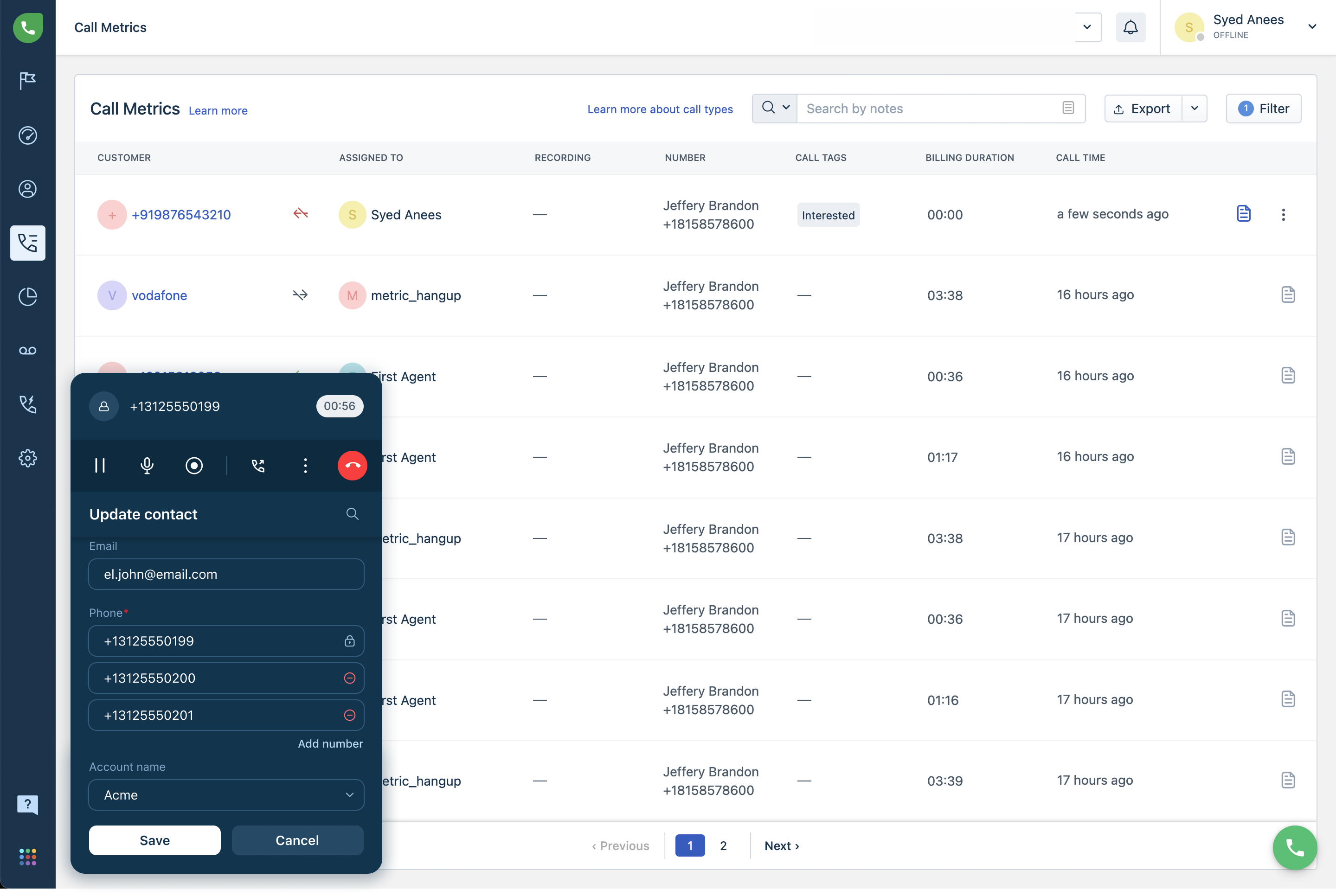
Simplified contact management within the widget
Easily manage your customer database without leaving the call window. Instead of switching between tabs, agents can update and maintain contact records and perform the following tasks efficiently:
- Create new contacts or update existing ones during an active call
- Enforce required fields, such as name or email, based on your configuration
- Click a contact’s name to edit details or open the full profile in a new tab
- Link calls to existing contacts to ensure accurate identification going forward
- View validation errors, such as duplicate entries, instantly
Structured call tags and notes
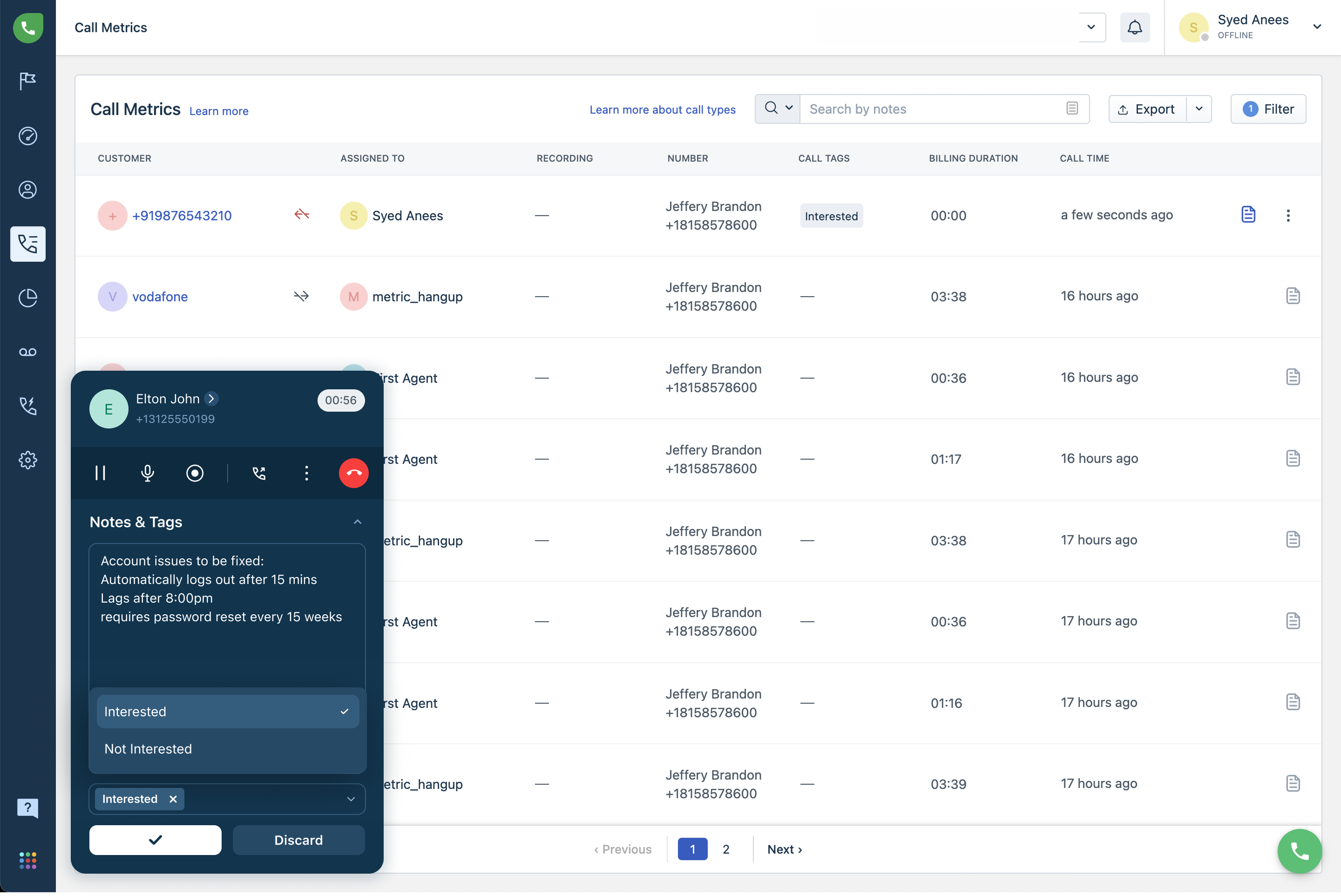
Capture call context consistently and enable your team to document interactions in a standardized and searchable format.
With this enhancement, agents can:
- Add up to 5 tags per call to categorize interactions
- Select from existing tags or create new ones from call tag settings
- Automatically sync call notes and tags to call metrics once the call ends
Real-time speaker visibility
Easily view the speaker details during a call with real-time visual indicators. This helps improve clarity during conversations and will be useful in conference calls.
These real-time indicators allow you to:
- View the microphone animation when the agent is speaking
- See the caller avatar animation when the customer is speaking
- Identify active participants during conference calls
Streamlined in-call actions
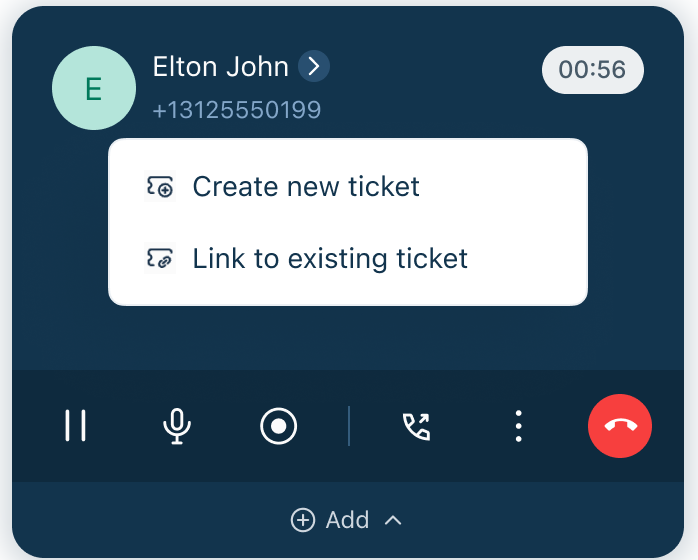
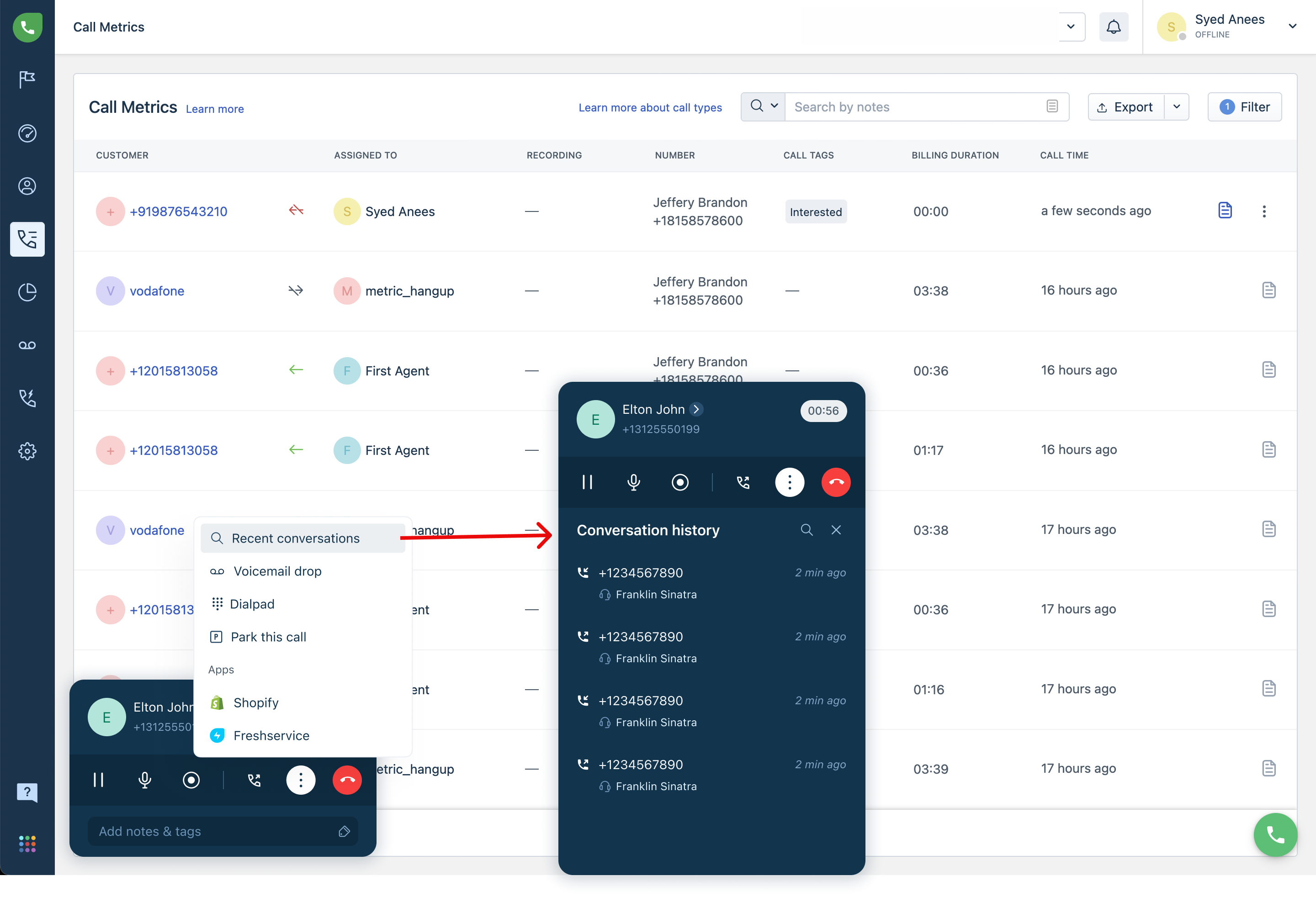
Take actions during calls by integrating key workflows into the call interface. This reduces delays and ensures that important tasks are completed while the conversation continues.
This update allows you to perform the following tasks across Freshworks products:
- Freshdesk: create or link tickets directly during calls
- Freshservice: perform service-related actions such as updating records or raising requests
- Freshsales: Add tasks, schedule appointments, or log activities
- For all: Access recent items and open them for more details
Unified conversation history
Access past interactions with a consolidated view of customer activity. This provides better context and enables informed and personalized conversations.
Use the unified conversion history to:
- View a timeline of previous calls, tickets, and activities
- Search interactions using notes or tags
- Preview details without navigating away from the call
Standardized call quality tracking
Call quality feedback will be built into the workflow, making it easier to monitor and improve performance over time.
You can now:
- Rate call quality after each interaction using a 5-star scale
- Access these ratings later as part of your call metrics