This article provides instructions on how you can configure the Voice AI agent handover call flow in Freshcaller. For a general overview of Voice AI Agent integration, see Voice AI agent integration in Freshcaller.
TABLE OF CONTENTS
About Voice AI agent handover call flow
The AI Agent handover call flow allows you to define the conditions and routing rules for transferring a call from an AI Agent to a live agent. This call flow works with AI Agents created in third-party apps, such as Synthflow or Squawkvoice.
Each AI Agent can have multiple handover call flows, triggered based on predefined contexts. These flows determine the actions, such as routing the call to a live agent, an IVR, or voicemail.
Use case
For an e-commerce store with Voice AI agent, you can set up the handover call flow with the following rules:
- Handle promotions: Handover calls to live agents for product promotions.
- Handle escalations: Handover calls to agents for escalation.
Key concepts
Before configuring the handover call flow, it is important to understand how contexts and actions work together to control call routing:
- Contexts/dispositions
Contexts are triggers defined in your AI agent (in Synthflow/Squawkvoice) that indicate when a call should be transferred.
Example:
For the Escalations flow, the context can be:- Irate Customers: If a customer is upset or explicitly asks to escalate.
- Advanced Troubleshooting: When the issue goes beyond the AI’s capabilities.
- Actions
Each context is mapped to an action in Freshcaller within the call flow settings, which define how the call is handled.
For example, if the context is irate customers, the action could be to route the call to a specific support queue or escalation team.
Configure Voice AI agent call flow
The Voice AI agent handover call flow setup includes the following steps:
- Set up the call flow
- Assign the call flow to a Freshcaller number
Note: Freshcaller provides a default Voice AI agent call flow that you can readily use.
Set up the call flow
Prerequisites:
Before setting up the flow, ensure:
- You have installed Synthflow or Squawkvoice from the Freshworks Marketplace. For details, see Voice AI Agent integration in Freshcaller
- You’ve configured Voice AI agents and defined contexts within those apps.
Log in to Freshcaller as an admin.
Go to Admin Settings > Configuration and Workflows > Call Workflows.
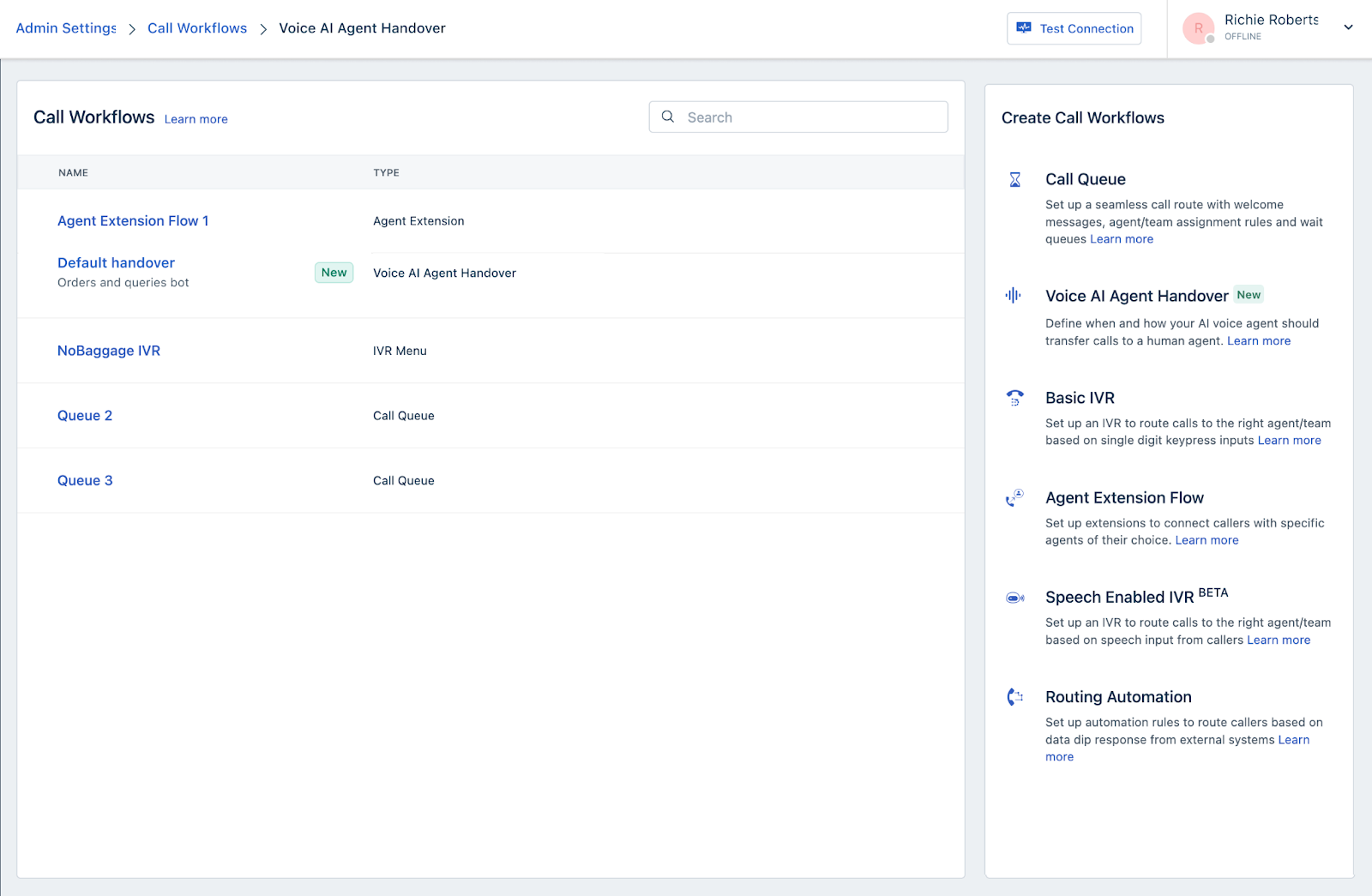
Click Voice AI Agent Handover.
Enter the following details:
Handover workflow name: Enter a call flow name.
Voice AI Agent: Select the Voice AI agent created in Synthflow or Squawkvoice.
Note: If you do not have an AI Agent, create one from the respective apps.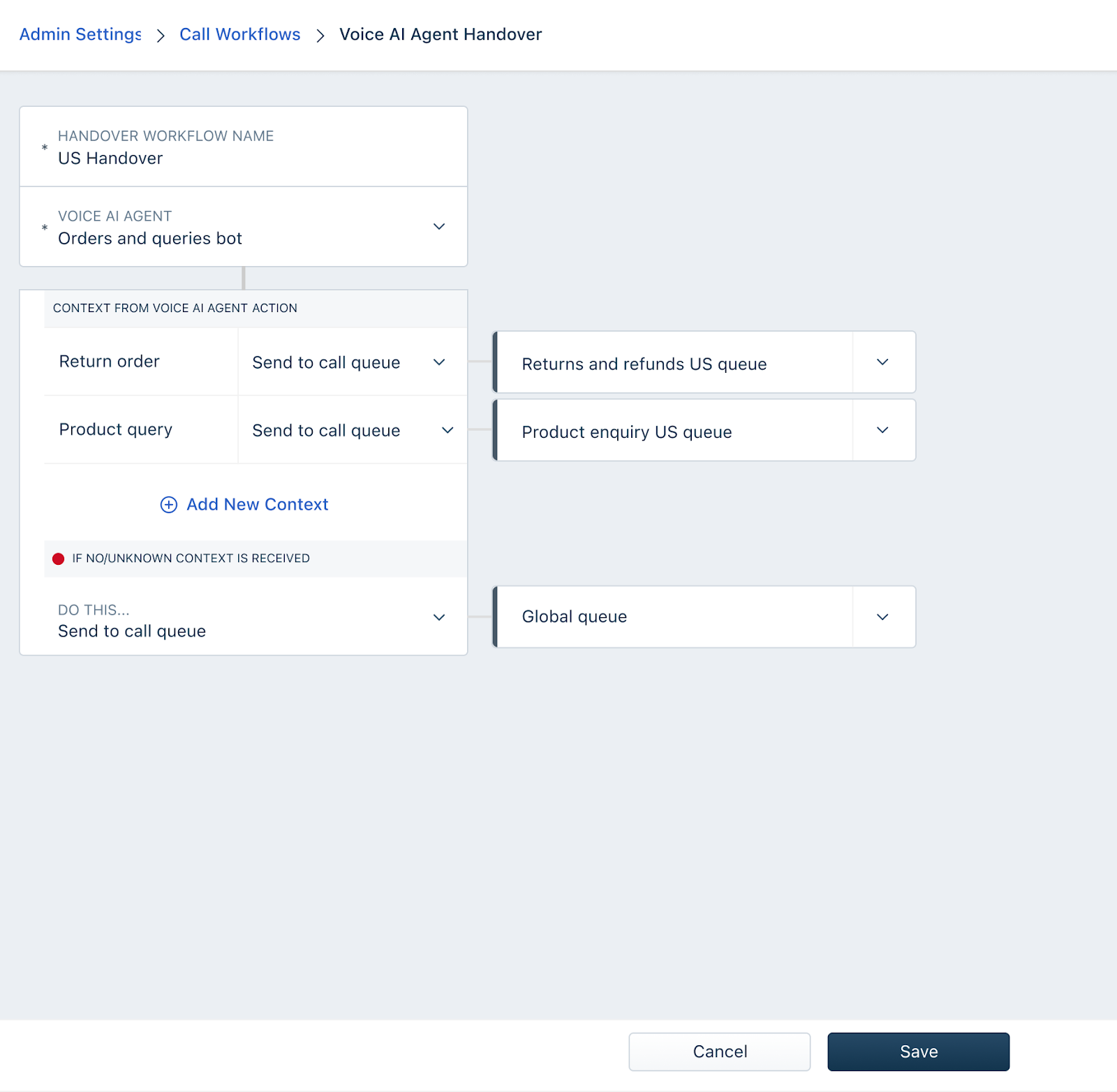
In the Context/Action fields, enter the following details:
- Enter the context names exactly as defined in your AI agent.
- For each context, assign one of the following actions:
- Call Queue: Route to an existing or new call queue.
- IVR: Route to an existing or new IVR.
- Voicemail: Play a prerecorded voice message or create a new message.
- Voice AI Agent: Transfer to another Voice AI agent.
- Routing Automation: Send to a routing automation call flow.
- Hangup: End the call
- Under If no/unknown context is received, set a fallback action if the AI agent fails to understand the context.
- Click Save.
Assign the Voice AI agent handover call flow to Freshcaller numbers
To activate the handover call flow, assign it to a Freshcaller number.
- Go to Admin Settings > Channels > Phone.
- Select an existing number or buy a new number.
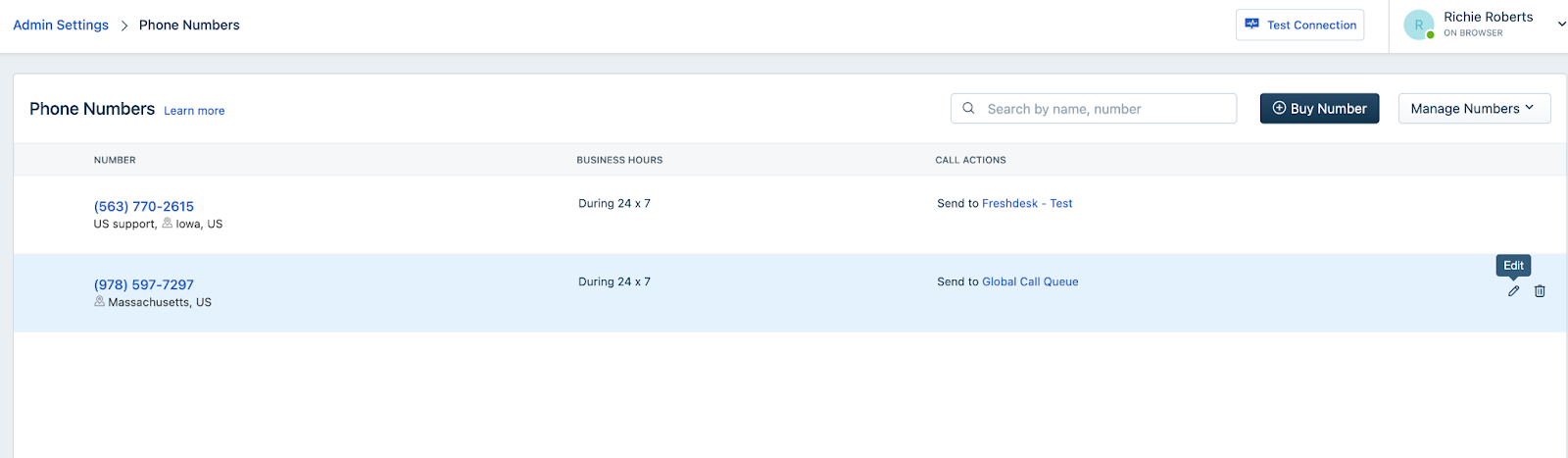
- Click on the edit icon. You will see the Properties and Call Actions tabs.
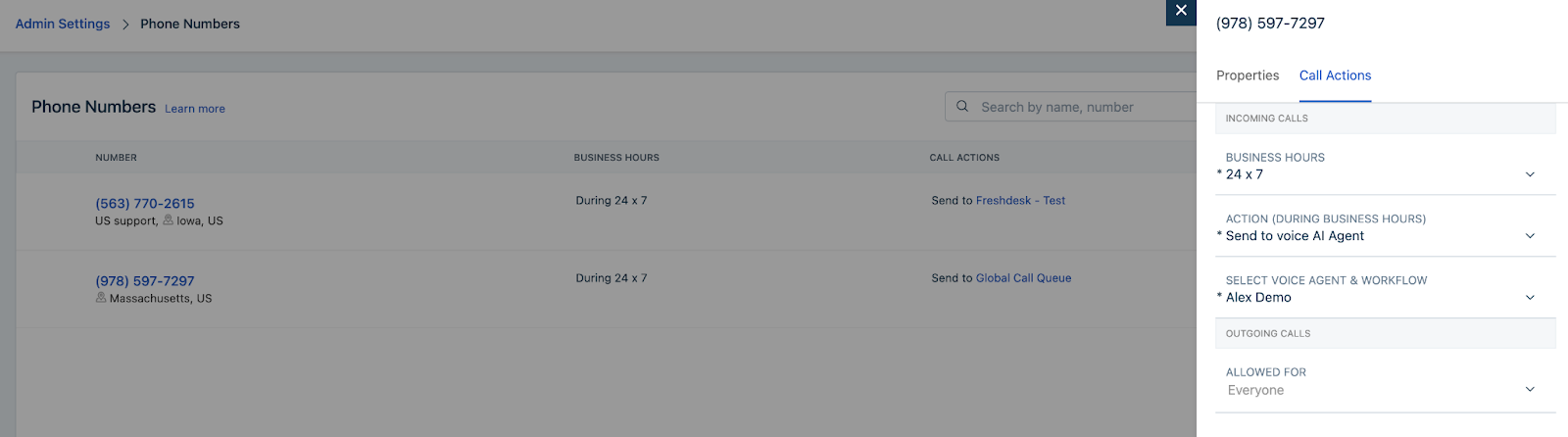
- Under the Call Actions tab and enter the following:
- Business Hours: Assign available business hours or create a new one.
- Action During Business Hours: Select Send to Voice AI Agent.
- Select Voice AI Agent and Workflow: Choose the relevant AI agent and its handover call flow.
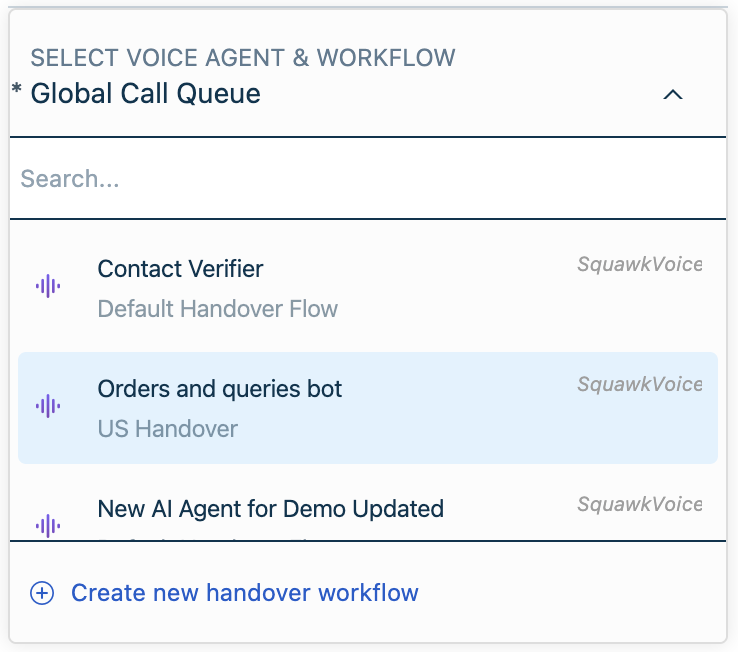 Note: The list displays the AI agent name and the handover call flow beneath it. Ensure that you choose the right handover call flow name.
- Call Actions for Outgoing Calls: Select who can make outgoing calls from this number.
- Click Save. You can now see the Voice AI handover call flow mapped to the Freshcaller number.
Agent experience
After you complete the handover call flow setup and assign it to a Freshcaller number, your agents linked to the Freshcaller number will start receiving calls routed from AI agents.
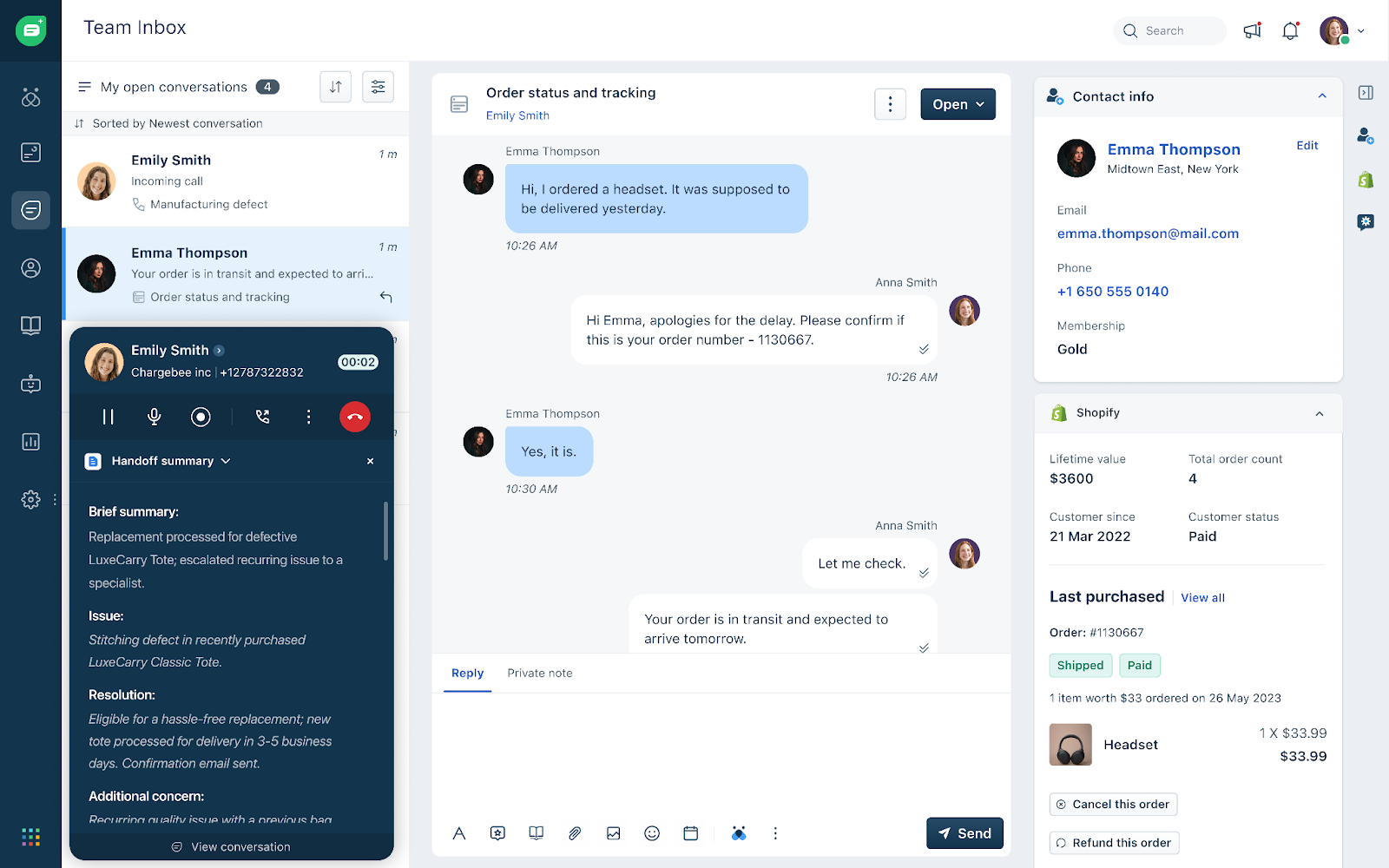
Agent experience during call handover
- The agent receives a call with a brief summary of the AI interaction
- Once the agent answers the call, a detailed Handoff Summary will be displayed, ensuring customers don’t have to repeat themselves.
- After the call ends, the complete conversation, transcript, and recording appear in the Inbox.
- Additionally, agents can also:
- Add call notes
- Forward calls to the queue
- Transfer calls
- Initiate conference or parallel calls
View Voice AI agent call flow metrics
You can monitor the AI agent activity in the call metrics page. The details are:
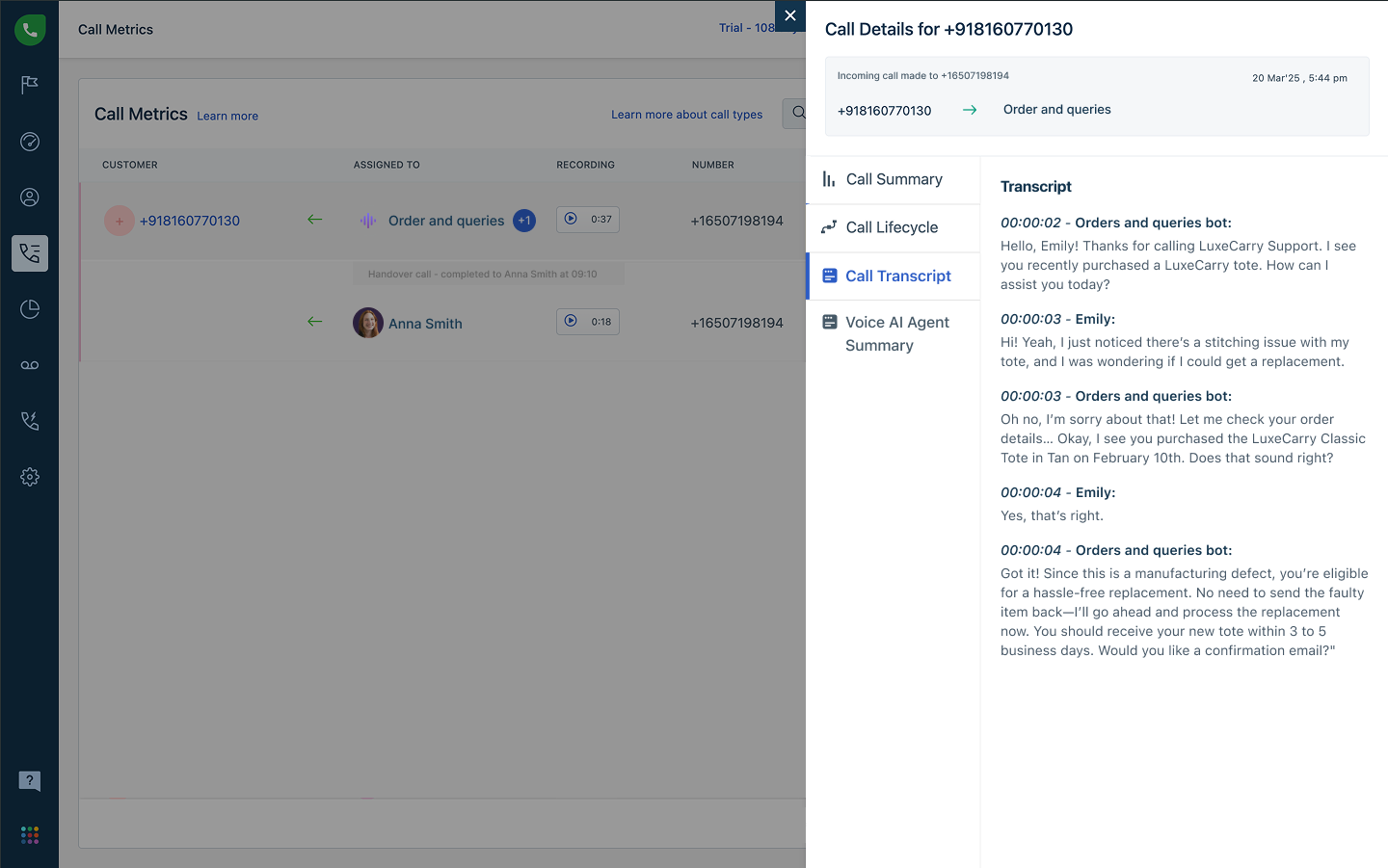
- You can view an additional Voice AI agent summary that displays the conversation between the Voice AI Agent and the customer.
- The Call Lifecycle shows when the call was handed over to the agent from the Voice AI agent.